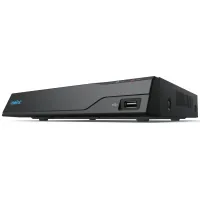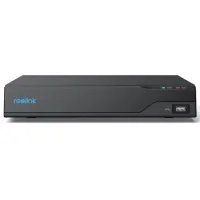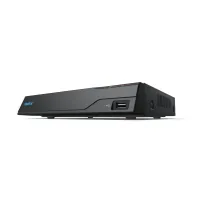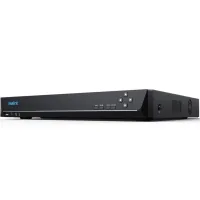
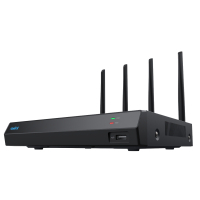
Centralize your security Connect Reolink cameras to a powerful network video recorder with Wi-Fi 6 support and a built-in 2 TB hard drive for centralized control, 365-degree video surveillance, 24/7 recording and more. Thanks to the wireless connection, everything is under your complete control! Incredible wireless coverage, high level of security Wi-Fi signal with a long range - Four external antennas with a high gain provide the NVS12W camera with extraordinary signal strength, which covers an area of up to 1,000 square meters. No corner will be overlooked!New level of cyber security - Wi-Fi 6 uses the latest WPA 3 encryption to protect your data and privacy, making data transmission over the wireless network more secure and reliable. Wi-Fi 6 is the fastest network ever High-speed connection - Wi-Fi 6 with 1024-QAM provides 25% faster data transfer speed compared to standard Wi-Fi 5. Technologies such as OFDMA and MU-MIMO also help improve network efficiency. All this provides a smoother real-time image. Stable real-time HD image - BSS technology improves network immunity, even in multi-device network environments, so you can enjoy stable UHD video streaming at any time. 24/7 Local Recording NVS12W NVR supports 24/7 recording. It can work offline, without internet connection, completely offline. Recorded videos are securely stored locally on a 2TB hard drive (expandable up to 16TB), so you don't have to worry about data loss or leakage. Customize your security solution This network video recorder is compatible with a variety of Reolink wired IP cameras, including Wi-Fi or PoE, and allows you to connect up to 12 cameras. With many options, you can freely and happily create your own video surveillance system. Simple and convenient setup Step 1 - Start the NVR - First connect the NVR to the power source, then connect the NVR to the power source, then to the monitor with the HDMI/VGA cable and to the router with the network cable. Step 2 - Start the camera - Turn on the camera and connect it to the NVR with the network cable, then initialize it to monitor and sync Wi-Fi. Step 3 - Live view - Disconnect the network cable from the camera and install it in the desired location, then view the image in real time on the monitor / in the Reolink app / in the Reolink client. Stay connected, remotely and locally With the free app or the Reolink client, you can conveniently view the live feed from the cameras connected to the network video recorder, play back the recorded video and change settings or connect a network video recorder to a monitor for local management and monitoring.
Characteristics
- Manufacturer
- Reolink
- They are also looking for
- мережеві
- Color
- чорний
- Country of manufacture
- Китай
- Video outputs
- 1 x VGA
- type
- NVR (мережеві)
- Dimensions
- 255 х 223 х 50 мм
- Number of channels
- 12
- Media type
- HDD SATA
- Audio outputs
- 1 x RCA
- Video resolution
- 4608 х 1728
- Operating voltage
- 12 В
- No. of supported disks*max disk volume
- 1x16 Tb
- Number of USBs
- USB2.0 x 2
- Ethernet
- присутній
Loading...